Insights Hub

Tech insights for high-performing laptop fleets

Explore our curated collection of articles, guides, and thought leadership on laptop and computer setup, tailored to Australian businesses, hybrid teams, and modern professionals.

Covering hardware standards, secure configuration, data protection, and productivity-focused laptop environments.

Browse key insight streams

Every piece is written by technicians who work hands-on with business fleets daily, translating complex setup decisions into clear, practical guidance.

Latest Industry Trends

Stay ahead of the hardware, security, and connectivity curve for modern work.

We unpack the newest advancements in mobile computing, docking, and display technology, with a focus on what actually matters for procurement, IT standards, and end-user experience in Australian workplaces.

  • Comparisons of current-generation business laptops and chipsets.
  • Guidance on Wi-Fi 6/6E, USB-C, Thunderbolt, and multi-monitor standards.
  • Coverage of remote-ready workstations and hybrid collaboration tools.

Every trend piece concludes with clear, vendor-agnostic recommendations your team can apply to your next refresh cycle.

Expert Tutorials & Setup Guides

Expert Tutorials & Setup Guides

Step-by-step walkthroughs from our technicians, written in plain language.

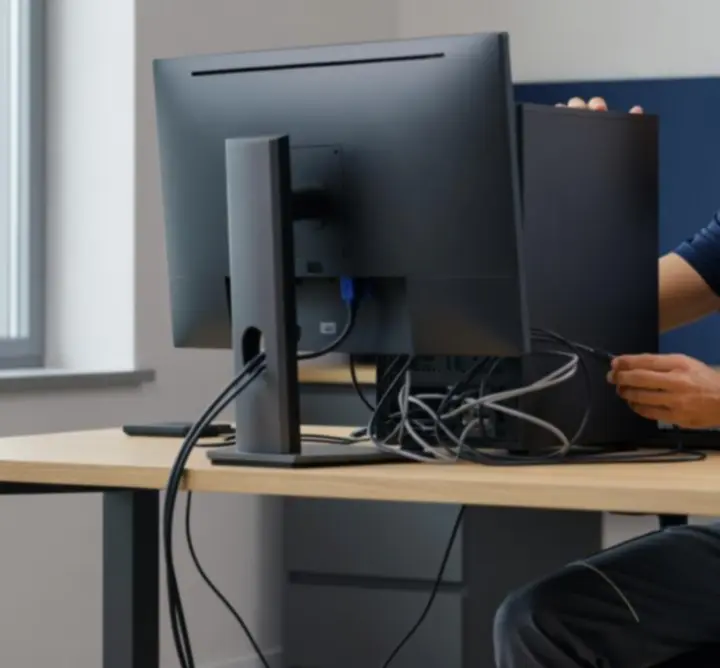
Technician configuring a business laptop

From first-boot configuration to ongoing optimisation, our tutorials remove the guesswork from building stable, secure laptop environments.

  • New device checklist for consistent, compliant builds.
  • OS hardening and baseline security configuration.
  • Performance tuning for common business applications.
  • Remote worker laptop setup best practices.

Guides are designed so both IT teams and tech-curious business owners can follow along with confidence.

Security & Data Protection Focus

Security & Data Protection Focus

Practical, implementation-ready approaches to protecting devices and data.

Our security insights explain how to protect business-critical data without slowing your team down, aligning with Australian privacy expectations and industry best practice.

  • Device encryption, secure boot, and credential protection.
  • Network hygiene for office, home, and shared workspaces.
  • Backup strategies and recovery planning for laptops.
  • Human-centric security training and phishing awareness.

We focus on controls you can realistically maintain, with implementation notes for both internal IT and outsourced providers.

Productivity Boosters

Productivity Boosters

Turn every laptop into a focused, distraction-light work environment.

We explore how hardware, software, and workspace design combine to support deep work and reliable performance across teams.

  • Recommended docking, display, and accessory setups by role.
  • OS-level tweaks that reduce friction and context switching.
  • Guidelines for ergonomic, cable-managed workstations.
  • Templates for role-specific laptop builds and app layouts.

Articles include before-and-after examples and configuration checklists you can roll out across your fleet.

Success Stories

Success Stories

Real-world case studies from Australian organisations.

Business team reviewing laptop rollout success

See how organisations of different sizes have reduced downtime, simplified onboarding, and strengthened security with structured laptop and computer setups.

“Tryhardgg Solutions Limited helped us standardise our laptop builds. Onboarding new team members now takes hours instead of days, and we have far greater confidence in our security posture.”

  • Professional services firms scaling hybrid teams.
  • Growing SMEs moving away from ad-hoc laptop purchases.
  • Regional teams standardising remote-ready devices.

Each story breaks down the initial challenge, the setup strategy we recommended, and the measurable impact after deployment.

Ask the Experts

Ask the Experts

Your laptop and setup questions, answered by our technicians.

Have a pressing question about laptop selection, imaging, or remote employee setups? Submit it to our team and we may feature it in an upcoming Q&A instalment.

We will never publish identifying details without your explicit consent.

Event Recaps & Company Updates

Event Recaps & Company Updates

Milestones, webinars, and industry involvement from the Tryhardgg Solutions Limited team.

Stay connected with how we are contributing to the broader IT and workplace technology community across Australia.

  • Highlights from educational webinars and training sessions.
  • Recaps of industry events, conferences, and panel discussions.
  • Updates to our service catalogue and setup methodologies.

Each recap includes practical takeaways so your team benefits from the same insights, even if you could not attend live.

Tech Mythbusters

Tech Mythbusters

Evidence-based answers to common laptop setup myths.

We separate signal from noise so you can make informed, budget-conscious decisions for your fleet.

  • “Any consumer laptop is fine for business.” — We explain why business-grade devices can lower total cost of ownership.
  • “Security slows staff down.” — Learn how well-designed controls can actually streamline work.
  • “New hardware solves performance issues.” — Discover setup and configuration wins before you refresh.

Each mythbuster article includes clear decision frameworks and questions to raise with your IT or procurement partners.

Monthly Insights Newsletter

Subscribe for exclusive tips, trends, and laptop setup strategies tailored to Australian businesses. One concise email per month — no noise, just practical guidance.

By subscribing you agree to our Privacy Policy and Cookie Policy. You can unsubscribe at any time.

Ready to turn insights into action?

Use our articles as a starting point, then partner with our technicians to design and implement a laptop setup model that fits your organisation, budget, and culture.